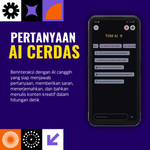
TOM AI
A downloadable project for Android
Download & Installation Instructions – TOM AI
Thank you for downloading TOM AI – Your Smart Assistant for All Your Needs! Here's a guide to installing and running the app on your Android device:
1. Download the APK
Click the Download button on this page.
The file to be downloaded is named: TOM_AI_v1.apk (or the latest version).
Ensure a stable internet connection while downloading (152 MB).
2. Enable Installation from Unknown Sources
Before installing the APK, you need to allow installation from unknown sources:
Open Settings on Android.
Go to Security → Enable Unknown Sources.
Confirm the changes if prompted.
⚠️ No additional programs or third-party libraries are required. TOM AI runs immediately after the APK is installed.
3. Installation
Open the downloaded TOM_AI_v1.apk file.
Click Install and wait for the process to complete.
4. Run the App
Once the installation is complete, open TOM AI from the app menu.
You can now use all the features:
Smart AI chat
Automatic audio transcription
Dark/light mode
Light data usage
5. Tip
Make sure your Android device is running at least Android 7.0 for the app to run smoothly.
For best audio transcription results, use the built-in microphone or a quality headset.
Purchase
In order to download this project you must purchase it at or above the minimum price of $10 USD. You will get access to the following files:

Leave a comment
Log in with itch.io to leave a comment.